> For the complete documentation index, see [llms.txt](https://gitbook.dokku.co.kr/shiba/llms.txt). Markdown versions of documentation pages are available by appending `.md` to page URLs; this page is available as [Markdown](https://gitbook.dokku.co.kr/shiba/guide/undefined/undefined-10.md).

# 프레임 확인 방법 안내

게임 플레이 중 프레임 드랍이 심하거나 게임이 끊기는 현상이 발생할 경우, 아래의 해결 방법을 참고하여 문제를 해결해 보시기 바랍니다.

## FiveM 프레임 확인 방법

### 프레임 확인&#x20;

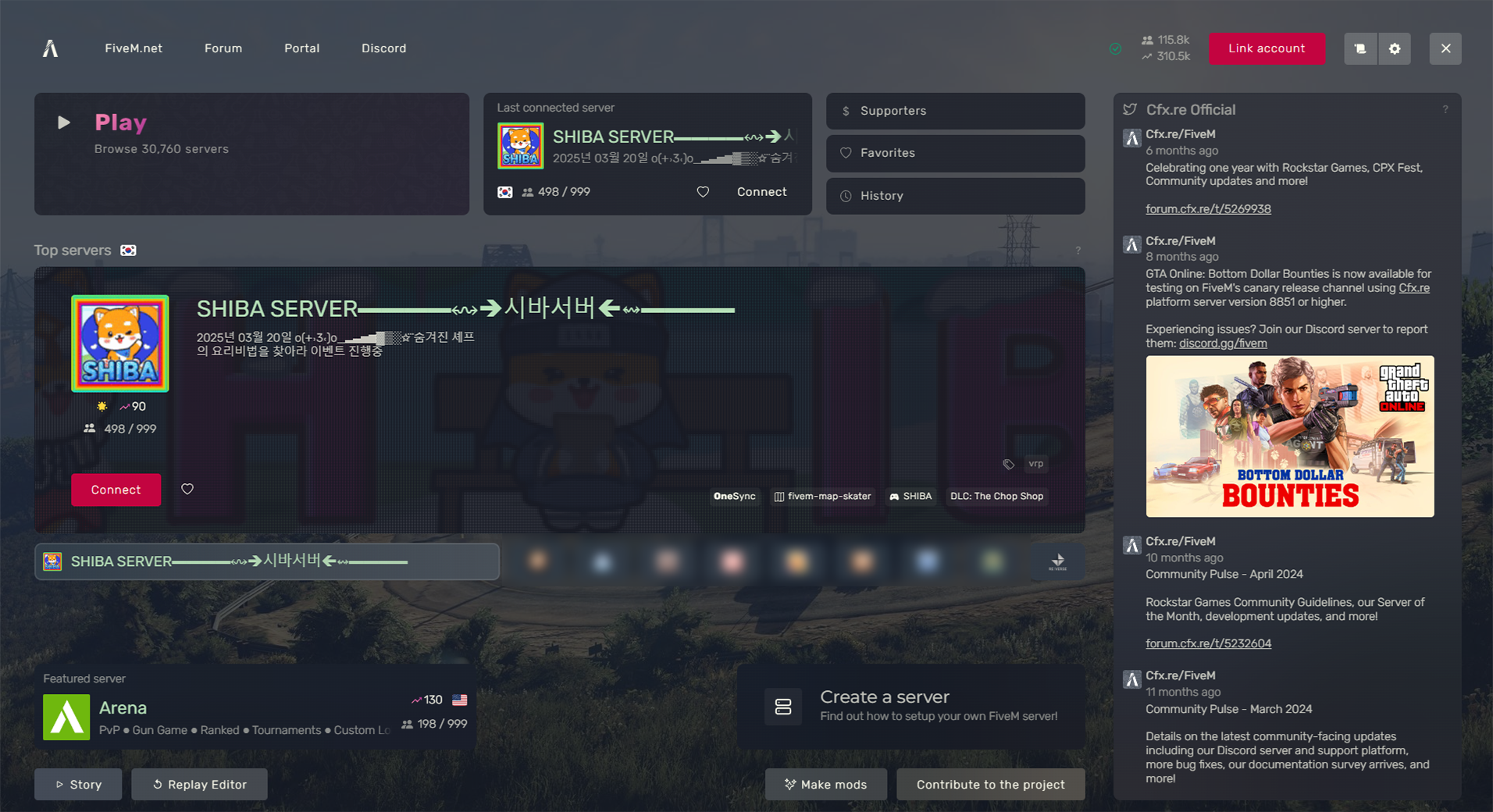
1. FiveM을 실행합니다.
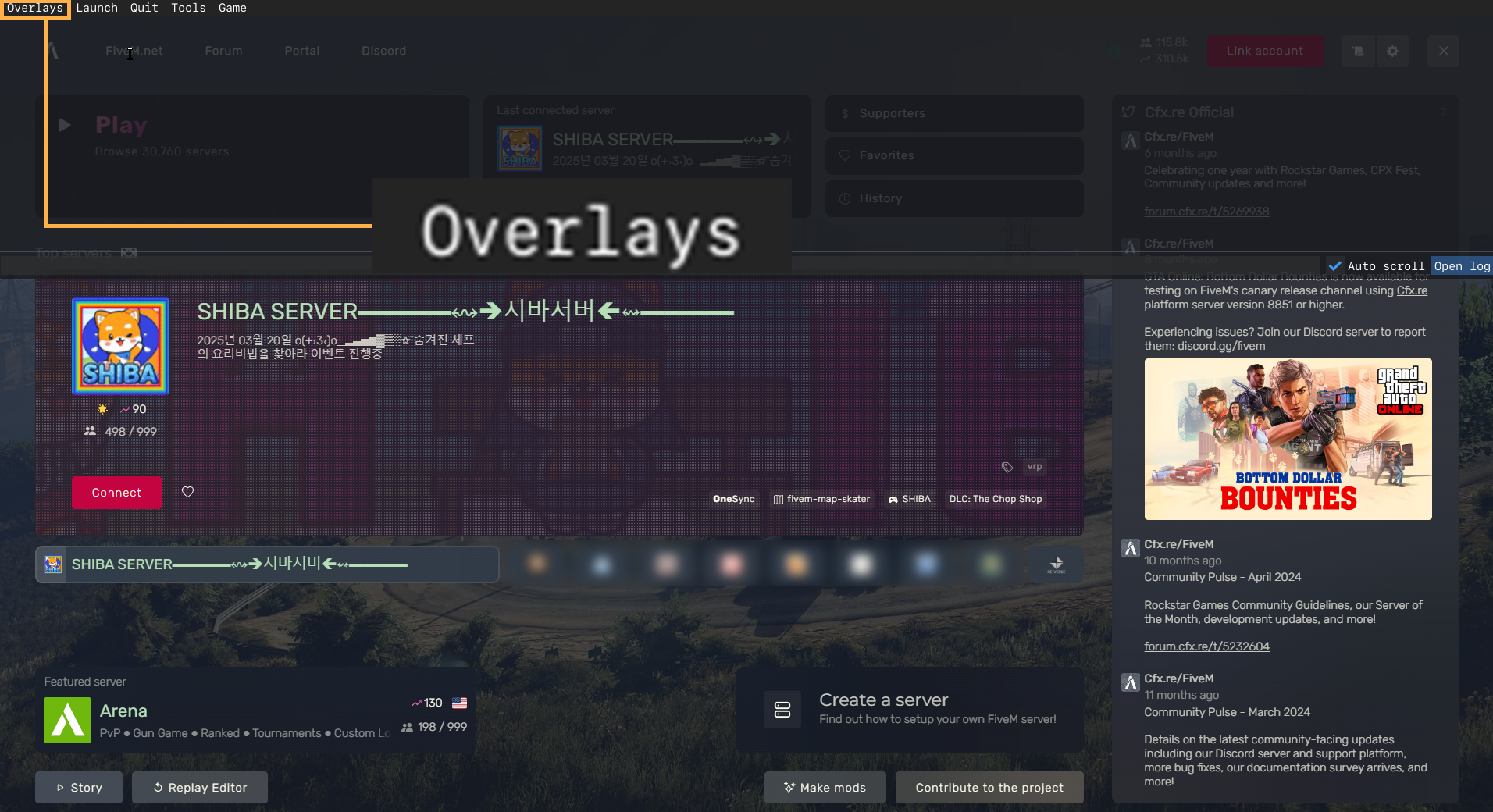
2. <mark style="color:yellow;">**F8**</mark> 키를 눌러 왼쪽 상단에 위치한 <mark style="color:yellow;">**Overlays**</mark> 옵션을 클릭합니다.
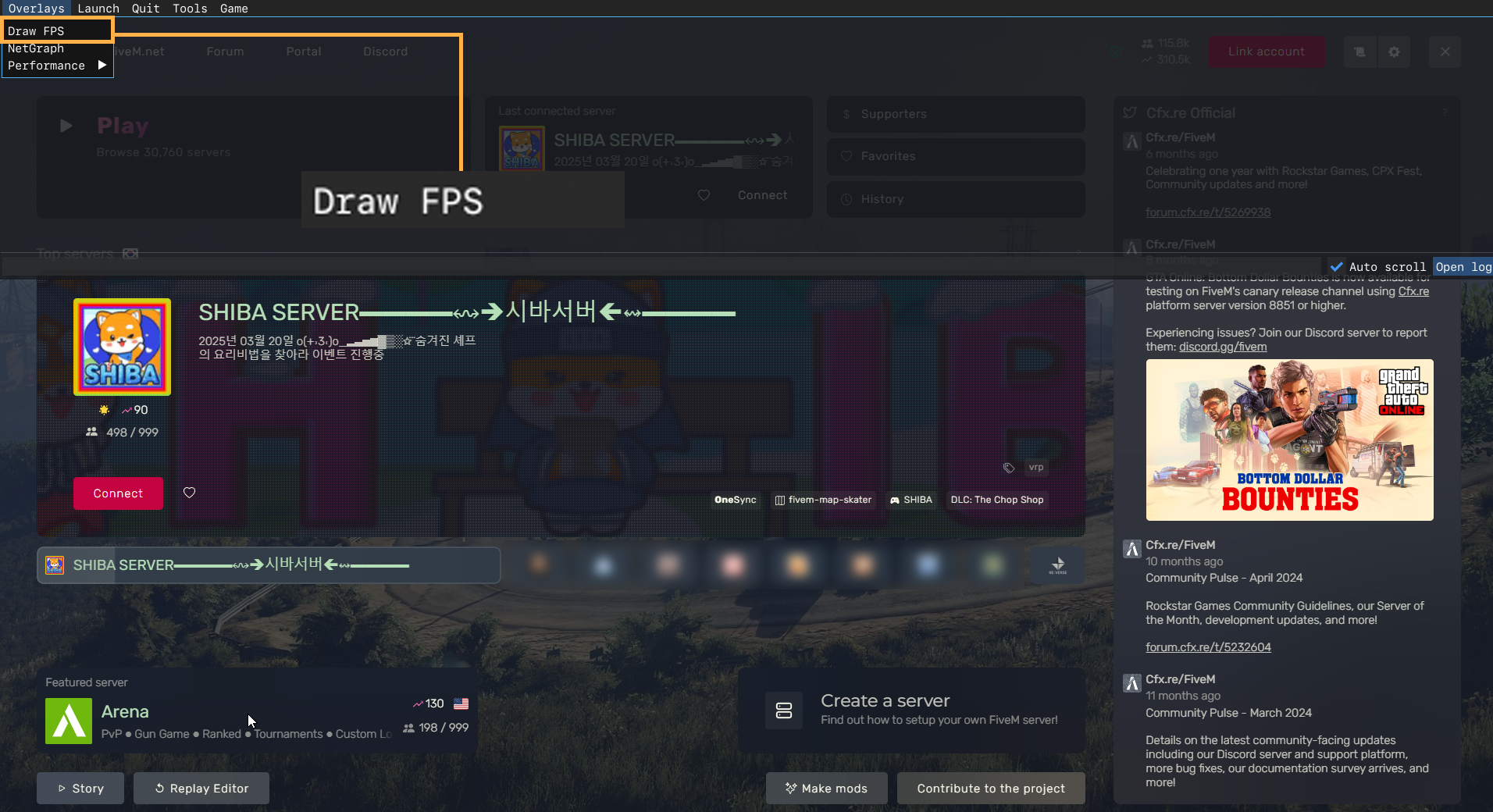
3. Draw FPS를 찾아 클릭합니다
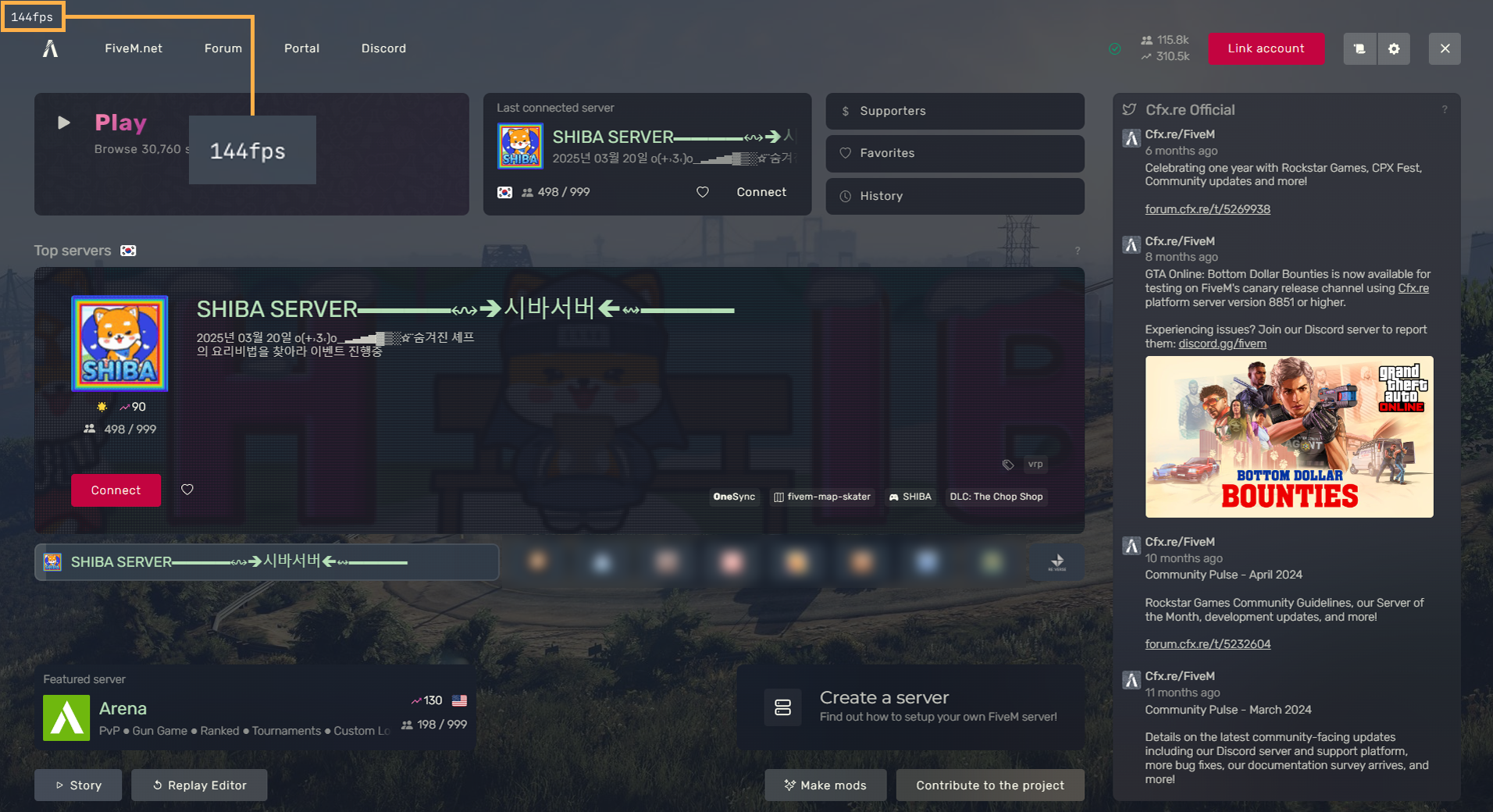
4. 왼쪽 상단에서 프레임을 확인합니다.

***

#### 사진 참고

> **이미지 설명**\
> FiveM을 실행합니다.

<figure><img src="https://content.gitbook.com/content/A5ONZewflnULSBDou1F6/blobs/eM1Akq2OUiD6ynlQ0qN7/main.png" alt=""><figcaption></figcaption></figure>

> **이미지 설명**\
> F8 키를 눌러 왼쪽 상단에 위치한 Overlays 옵션을 클릭합니다.

<figure><img src="https://content.gitbook.com/content/A5ONZewflnULSBDou1F6/blobs/uHzSnkL1t2vF0Bvfx4Z6/over.png" alt=""><figcaption></figcaption></figure>

> **이미지 설명**\
> DrawFPS를 찾아 클릭합니다.

<figure><img src="https://content.gitbook.com/content/A5ONZewflnULSBDou1F6/blobs/jhpaKwQePGQFg6gasNwQ/drawFPS.png" alt=""><figcaption></figcaption></figure>

> **이미지 설명**\
> 왼쪽 상단에서 프레임을 확인합니다.
<figure><img src="https://content.gitbook.com/content/A5ONZewflnULSBDou1F6/blobs/CdHseyPRBitk0Ln4UpIS/fps.png" alt=""><figcaption></figcaption></figure>