> For the complete documentation index, see [llms.txt](https://gitbook.dokku.co.kr/shiba/llms.txt). Markdown versions of documentation pages are available by appending `.md` to page URLs; this page is available as [Markdown](https://gitbook.dokku.co.kr/shiba/guide/undefined-1/undefined/undefined-2.md).

# 마일리지 사용 안내

{% stepper %}
{% step %}

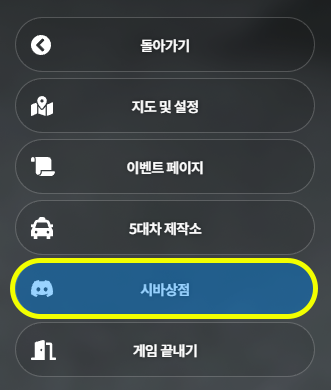
### \[ ESC > 시바상점 ]를 클릭합니다.

* 서버 크래시/렉을 최소화하기 위해 유저가 밀집하지 않은 위치에서 시도하시기를 권장드립니다.\ <br>

  <div align="left"><figure><img src="https://content.gitbook.com/content/A5ONZewflnULSBDou1F6/blobs/BTO6CcgdQmxwPjHvxEhk/%EC%8B%9C%EB%B0%94%20%EC%83%81%EC%A0%90.png" alt=""><figcaption><p>ESC > 시바상점</p></figcaption></figure></div>

{% endstep %}

{% step %}

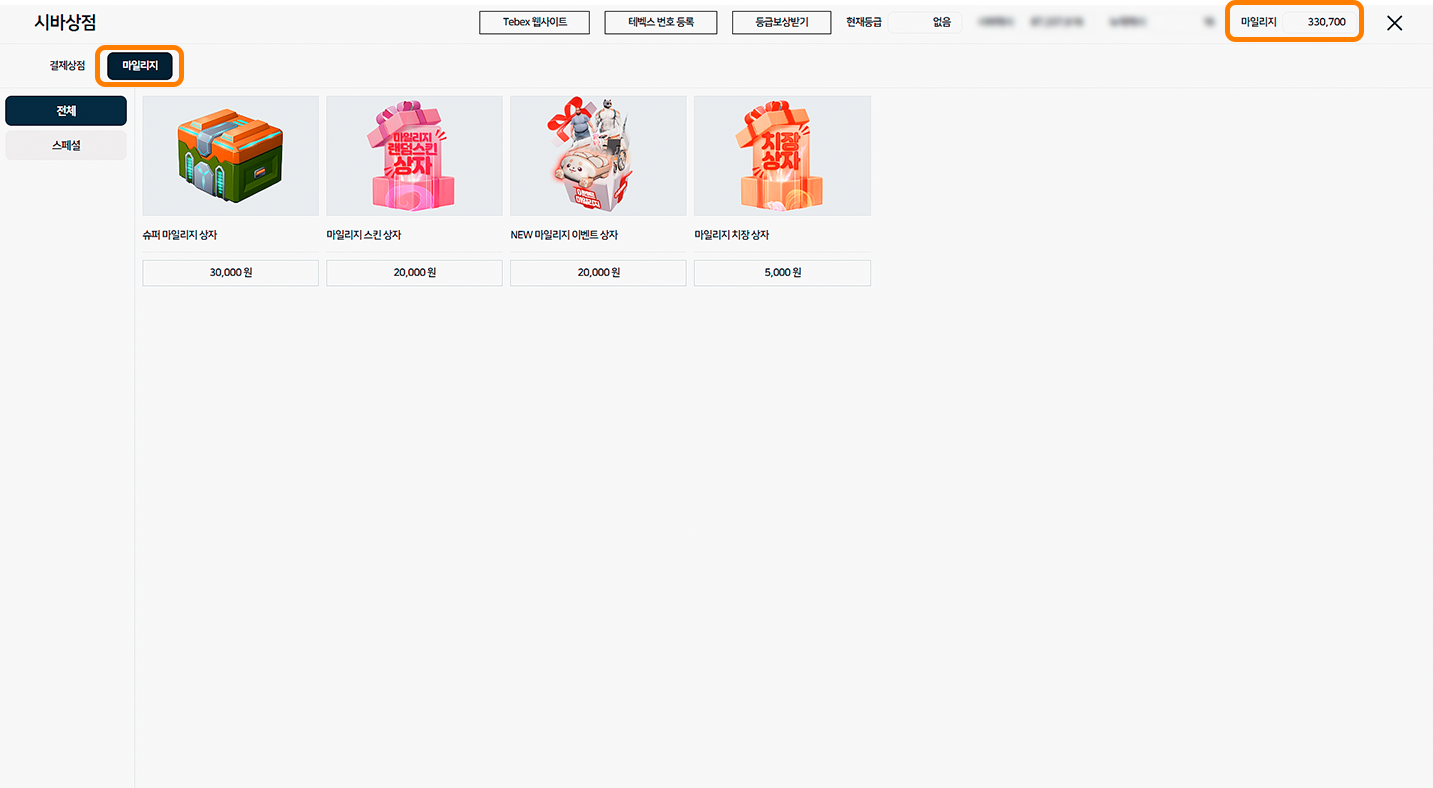
### 시바상점 사용 방법

1. 좌측 상단 마일리지를 클릭하여 마일리지 탭으로 들어갑니다.
2. 우측 상단에서 보유 마일리지 잔액을 확인할 수 있습니다.<br>

   <figure><img src="https://content.gitbook.com/content/A5ONZewflnULSBDou1F6/blobs/jLPlEvsRun6RrvkUBmpw/1%EB%B2%88.png" alt=""><figcaption></figcaption></figure>

{% endstep %}

{% step %}

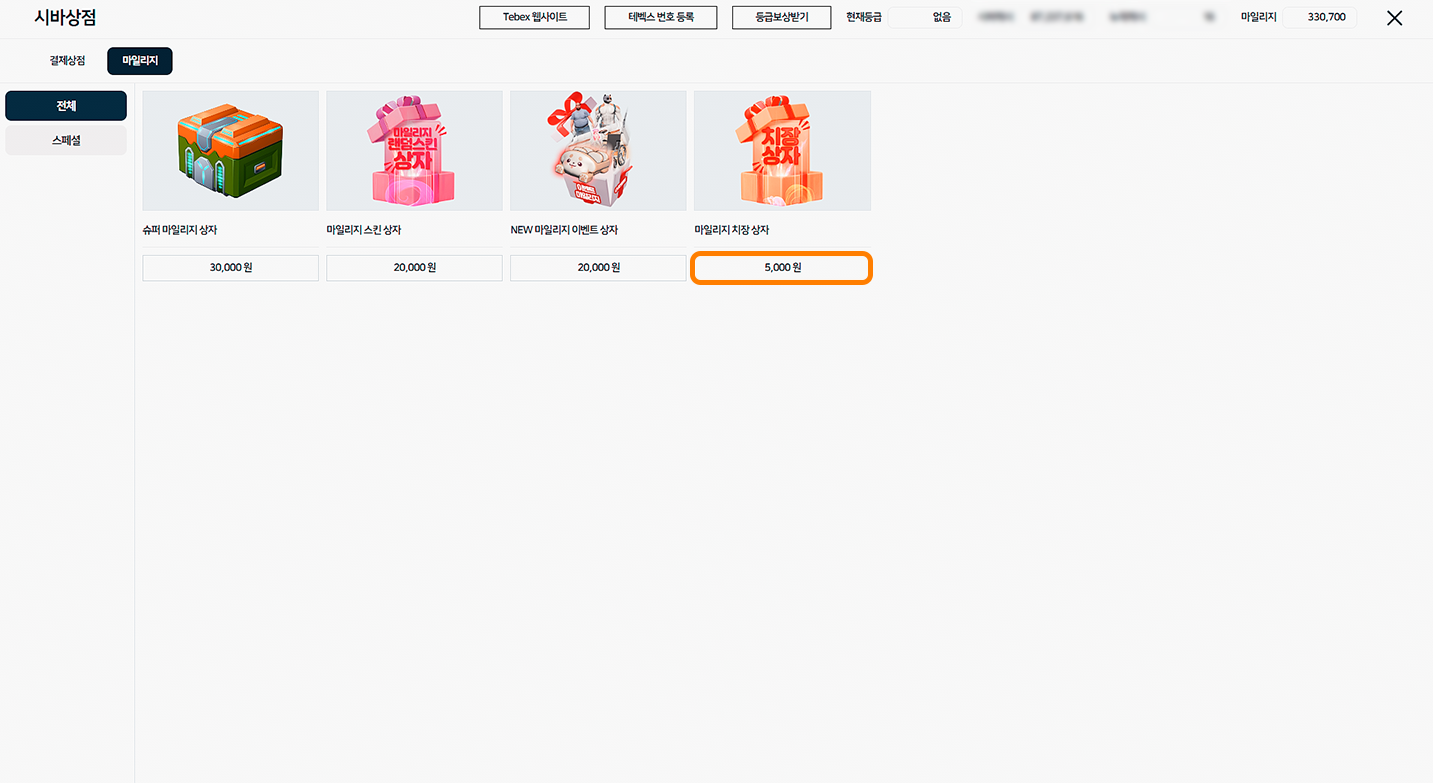
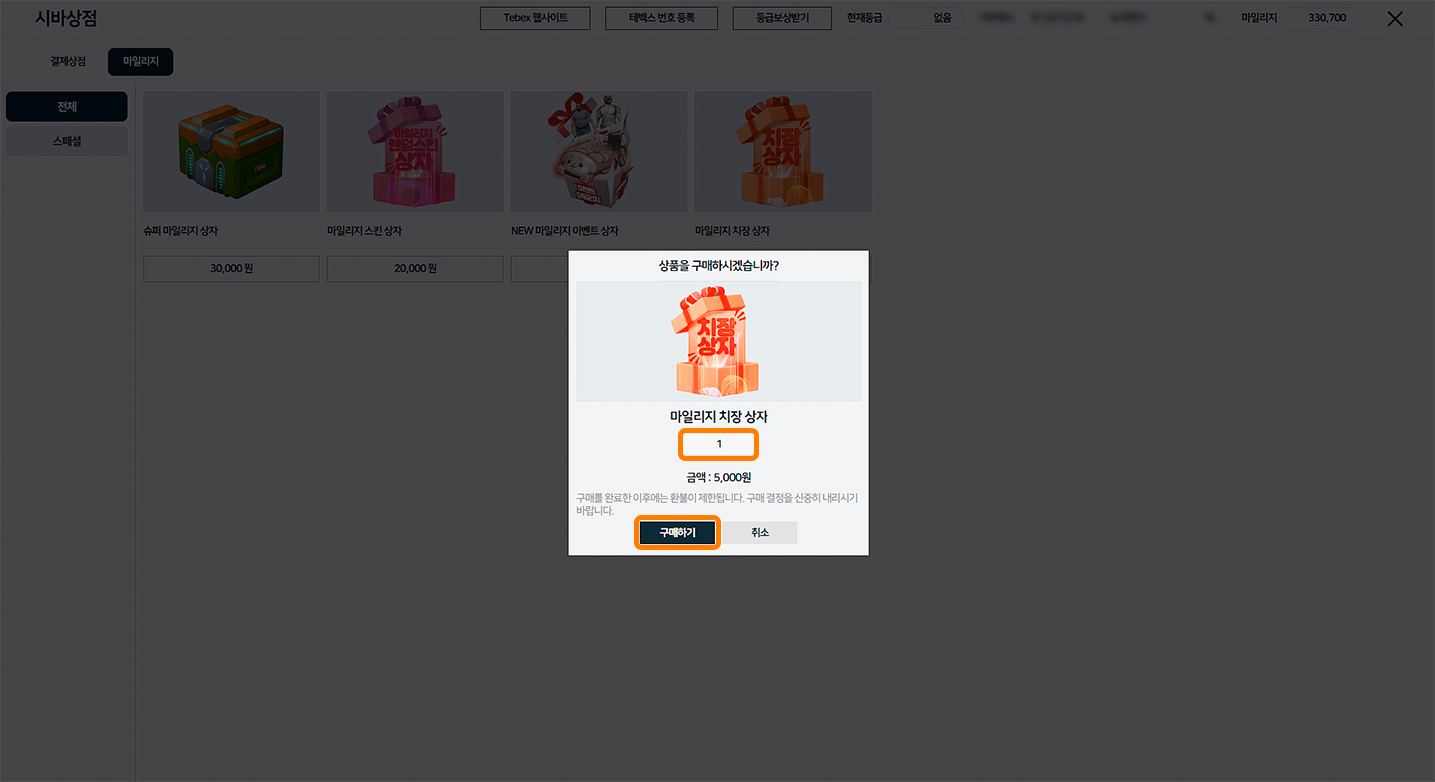
### 아이템 구매 방법

1. 상점에서 구매를 하고자 하는 상품의 금액을 클릭합니다.
2. 상품의 개수를 입력 후 구매하기를 클릭합니다.
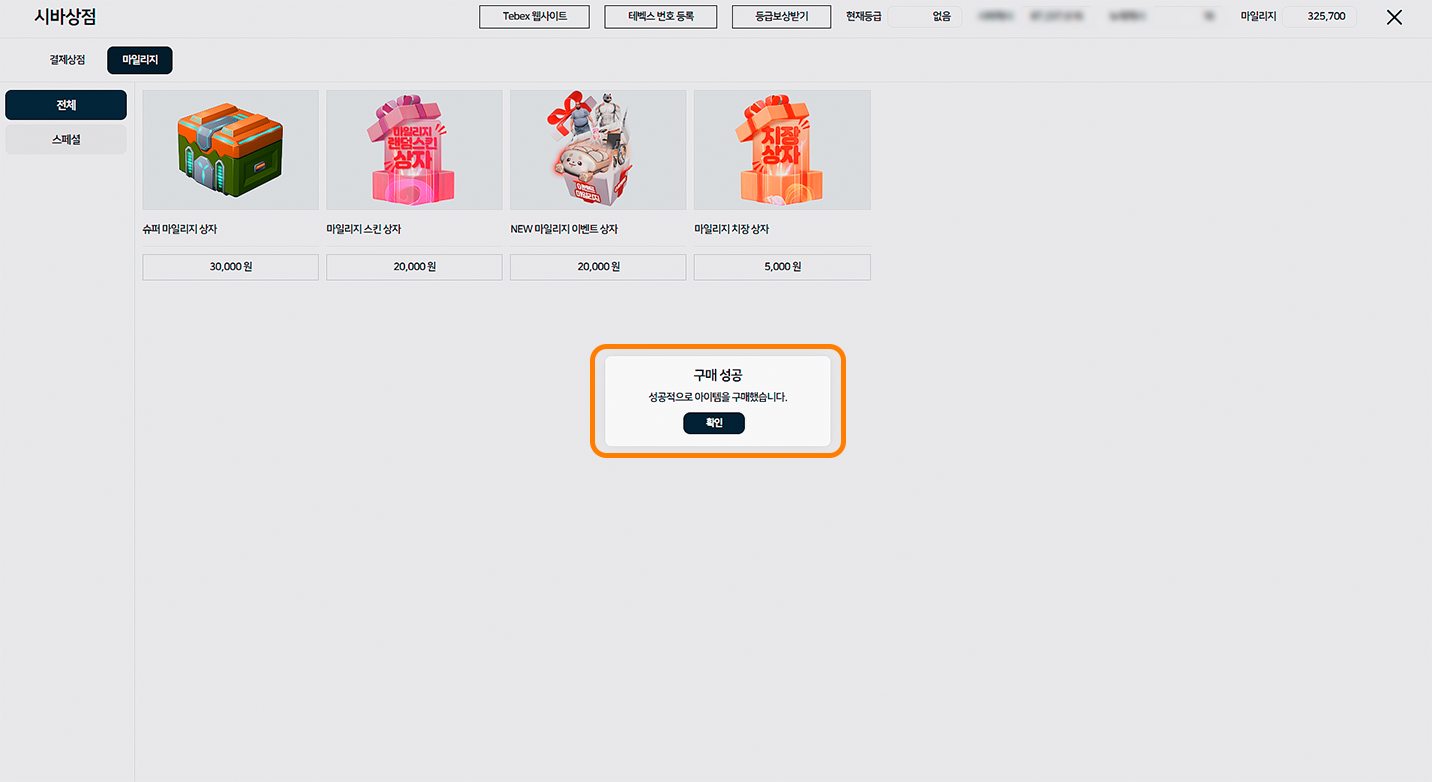
3. 구매 성공 화면을 확인합니다.<br>

   <figure><img src="https://content.gitbook.com/content/A5ONZewflnULSBDou1F6/blobs/bauNE3WKtjUFJT04LRw3/2%EB%B2%88.png" alt=""><figcaption></figcaption></figure>

   <figure><img src="https://content.gitbook.com/content/A5ONZewflnULSBDou1F6/blobs/awKEfpr7TGHfe947tPCy/3%EB%B2%88.png" alt=""><figcaption></figcaption></figure>

   <figure><img src="https://content.gitbook.com/content/A5ONZewflnULSBDou1F6/blobs/iUf6rnHJthvDE4rEVOqC/4%EB%B2%88.avif" alt=""><figcaption></figcaption></figure>

{% endstep %}
{% endstepper %}