> For the complete documentation index, see [llms.txt](https://gitbook.dokku.co.kr/shiba/llms.txt). Markdown versions of documentation pages are available by appending `.md` to page URLs; this page is available as [Markdown](https://gitbook.dokku.co.kr/shiba/guide/undefined-1/undefined-3/undefined-8.md).

# 뮤직박스 관련 안내

{% stepper %}
{% step %}

### 실행 방법 및 단축키 안내

1. T를 눌러 채팅창을 연 후 <mark style="color:red;">**/뮤직박스**</mark>를 입력하여 뮤직박스를 실행합니다.

   <div align="left"><figure><img src="https://content.gitbook.com/content/A5ONZewflnULSBDou1F6/blobs/ZKs8Ih9hdTagKJtely0G/%EC%8A%A4%ED%81%AC%EB%A6%B0%EC%83%B7%202025-01-09%20134050.png" alt=""><figcaption></figcaption></figure></div>
2. 단축키 안내
   * 뮤직박스 UI 실행 : <mark style="color:red;">**Z키**</mark>
   * 뮤직박스 범위 조절 : <mark style="color:red;">**Alt + 방향키 좌**</mark>**/**<mark style="color:red;">**우**</mark>
   * 뮤직박스 음량 조절 : <mark style="color:red;">**Alt + 방향키 상**</mark>**/**<mark style="color:red;">**하**</mark>
   * 중단 방법 : <mark style="color:red;">**Z키**</mark>를 눌러 뮤직박스 UI 실행 우측 상단 <mark style="color:red;">**음악중지**</mark> 클릭
     {% endstep %}

{% step %}

### 노래 재생 방법&#x20;

1. 링크 재생 방법&#x20;
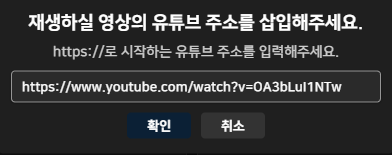
   * 우측 상단 <mark style="color:red;">**링크로 재생하기**</mark> 클릭 후 원하는 노래의 유튜브 링크를 삽입 후 확인 버튼을 누릅니다.<br>

     <div align="left"><figure><img src="https://content.gitbook.com/content/A5ONZewflnULSBDou1F6/blobs/JOHpxc5NYmiPEqx32vOa/%EC%8A%A4%ED%81%AC%EB%A6%B0%EC%83%B7%202025-01-09%20134259.png" alt=""><figcaption></figcaption></figure></div>
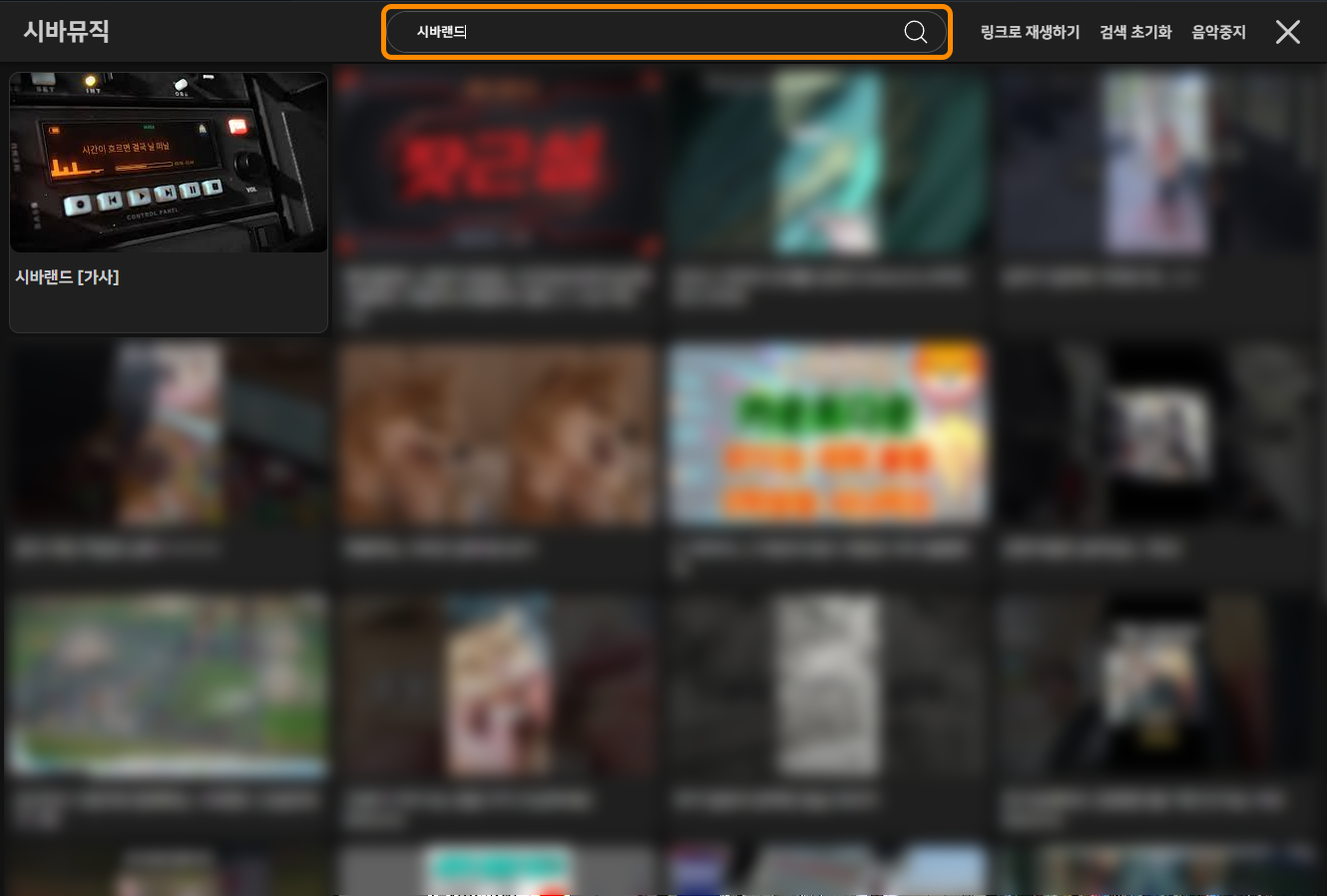
2. 뮤직박스 상단 검색창에 원하는 제목을 입력 후 원하는 노래를 클릭하여 재생합니다.

   <figure><img src="https://content.gitbook.com/content/A5ONZewflnULSBDou1F6/blobs/RkPid5VsgqxTl9hbB05D/%EA%B2%80%EC%83%89.png" alt=""><figcaption></figcaption></figure>

{% endstep %}
{% endstepper %}

{% hint style="danger" %}
뮤직박스는 [**VIP 등급 CRYSTAL**](/shiba/guide/shiba/vip.md) 이상부터 사용 가능합니다.
{% endhint %}